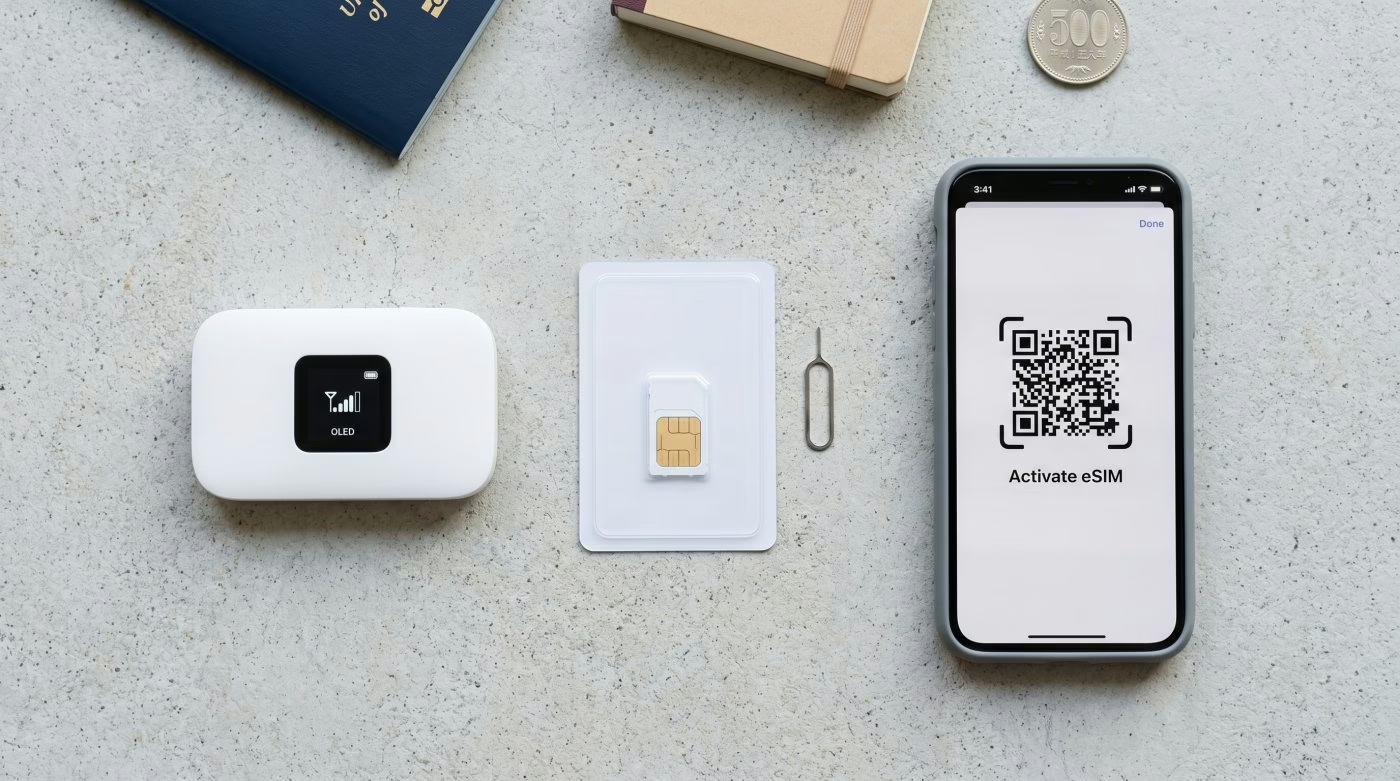





Pocket WiFi vs SIM Card vs eSIM in Osaka: The Right Choice for Your Trip – For most travelers in Osaka, eSIM is the easiest win—it activates before you land, works the moment the plane touches down, and keeps your bag light through busy spots like Dotonbori and Umeda.
That said, your phone must be compatible and carrier-unlocked for eSIM to work at all, so it is not a universal answer.
Pocket WiFi still shines for families or groups sharing several devices, while physical SIM cards suit older phones or longer stays.
Coverage is generally strong above ground, though signal tends to drop in the tunnel sections between subway stations rather than at the stations themselves.
Pick eSIM for simplicity, Pocket WiFi for sharing, and SIM if a local number matters—there is more to compare below.
To have a better Osaka trip planning, read our guide on things to know before traveling to Osaka.
Stay Connected
Japan eSIM & Pocket WiFi Rentals
Skip the SIM card queue at the airport. Buy a Japan eSIM before you fly and connect the moment you land.

Klook
5G / 4G LTE coverage on Softbank and DOCOMO networks.

Airalo
Multiple data plans available. Good choice if continuing to other Asian countries.

Saily
Built-in ad blocker and hotspot tethering. Better value at higher data tiers.

NINJA WiFi (eSIM)
Japan eSIM with 4G LTE coverage. Instant activation, no physical SIM required.
NINJA WiFi (SIM Card)
Physical SIM card for Japan. Delivered to your hotel or collected at the airport.
NINJA WiFi (Pocket WiFi)
Pocket WiFi rental with unlimited 4G data. Share with your group, no SIM swap needed.

Pelago
5G unlimited data on KDDI. Worth checking for KrisFlyer-linked perks.
Klook
Pocket WiFi rental with unlimited 4G LTE. Airport pickup, free power bank included.

KKday
Pocket WiFi rental with unlimited 4G data. Collect at Japan airports on arrival.

Holiday.com
Global eSIM from the ExpressVPN team. One eSIM covers Japan plus your next destinations.
Key Takeaways
Hide- eSIM is the easiest choice in Osaka if your phone is compatible and carrier-unlocked, since you can activate it before landing at Kansai International Airport.
- Physical SIM cards work well for travelers using older phones without eSIM support, though most tourist SIM cards sold in Japan are data-only and do not include a local voice number.
- Pocket WiFi is best for families or groups because one device can connect multiple phones and tablets simultaneously, though it needs recharging daily with a typical battery life of around eight to twelve hours.
- Osaka has strong mobile coverage in central areas above ground; signal drops occur mainly in the tunnel sections between subway stations, not at the station platforms themselves.
- Light travelers usually need only a small data plan, while heavy users should choose larger or unlimited options—though unlimited plans are overkill for most short city trips.
Trip Essentials
Osaka Travel Add-ons
Equip yourself for the ultimate Osaka adventure with the following add-ons, curated just for you.
Flights to Osaka
Airport Transfer
ICOCA IC Card
Suica IC Card
Osaka Tours
Luggage Storage
Travel Insurance
Data Security
Japan eSIM
Japan SIM Card
Pocket WiFi Rental
Japan eSIM
Why Mobile Data Matters More in Osaka Than You Think
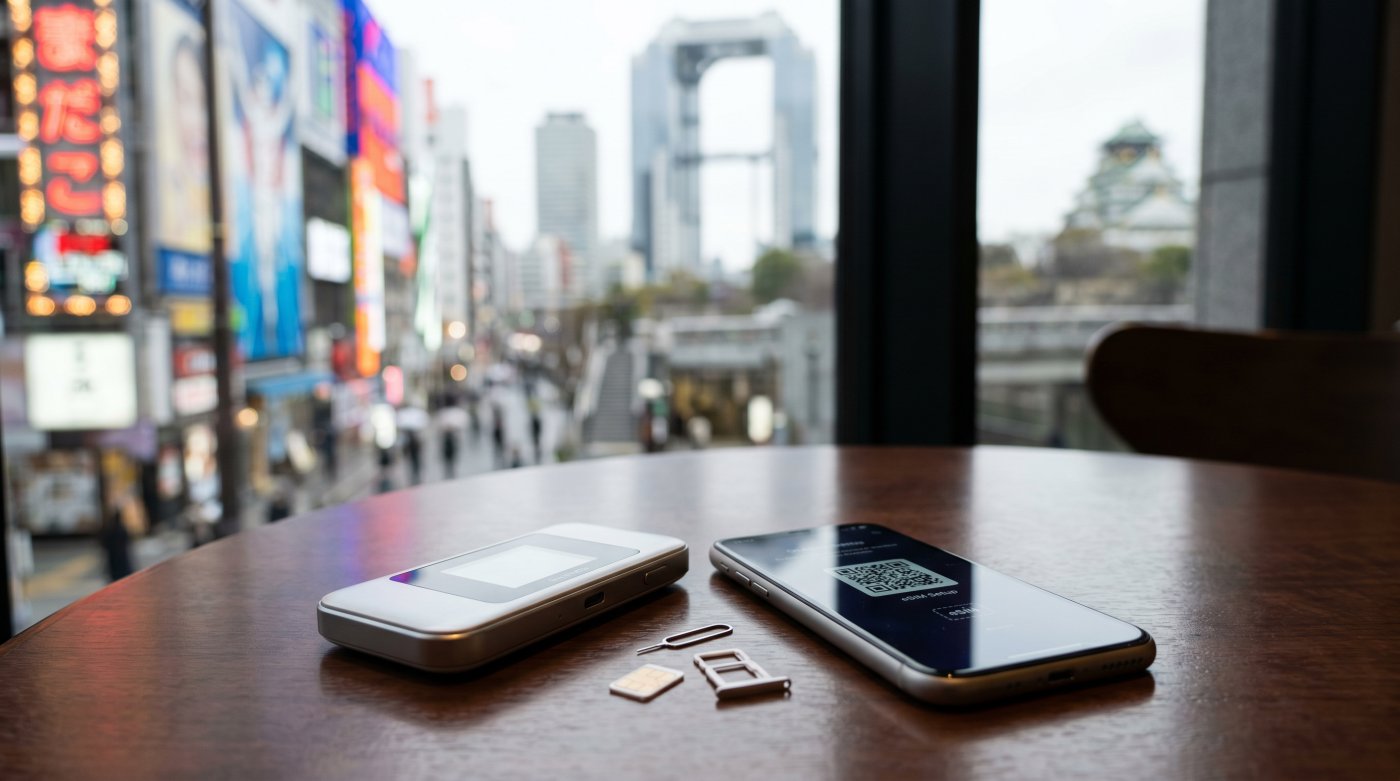
In Osaka, mobile data is not just handy—it is often the quiet engine behind smooth travel.
From real-time train updates and restaurant searches to translating menus and finding the right exit before the crowd swallows the street, a reliable connection shapes how freely you can move through the city.
This guide is for anyone who wants fewer hassles and more time enjoying Osaka, whether they are a first-time visitor, a business traveler racing between meetings, or a foodie chasing the next perfect bowl of ramen.
Staying connected here feels less like a luxury and more like basic infrastructure.
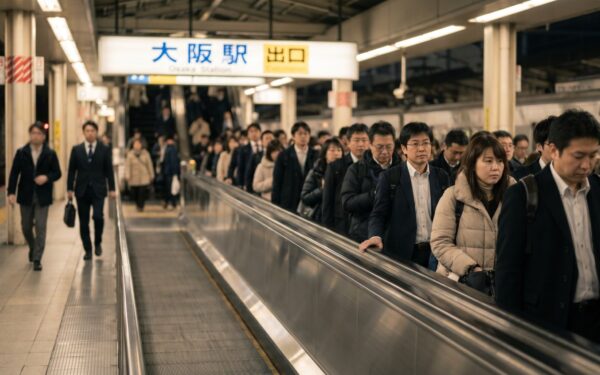
With reliable access to Osaka Metro route updates, it is easier to navigate the city’s stations and make quick decisions on the go.
Stay Connected
Japan eSIM & Pocket WiFi Rentals
Skip the SIM card queue at the airport. Buy a Japan eSIM before you fly and connect the moment you land.
Klook
5G / 4G LTE coverage on Softbank and DOCOMO networks.
Airalo
Multiple data plans available. Good choice if continuing to other Asian countries.
Saily
Built-in ad blocker and hotspot tethering. Better value at higher data tiers.
NINJA WiFi (eSIM)
Japan eSIM with 4G LTE coverage. Instant activation, no physical SIM required.
NINJA WiFi (SIM Card)
Physical SIM card for Japan. Delivered to your hotel or collected at the airport.
NINJA WiFi (Pocket WiFi)
Pocket WiFi rental with unlimited 4G data. Share with your group, no SIM swap needed.
Pelago
5G unlimited data on KDDI. Worth checking for KrisFlyer-linked perks.
Klook
Pocket WiFi rental with unlimited 4G LTE. Airport pickup, free power bank included.
KKday
Pocket WiFi rental with unlimited 4G data. Collect at Japan airports on arrival.
Holiday.com
Global eSIM from the ExpressVPN team. One eSIM covers Japan plus your next destinations.
How Much Mobile Data Osaka Travel Actually Needs
Quite a lot, because stations, maps, ticket apps, restaurant menus, and last-minute bookings all lean on a steady signal.
Even casual visitors now move like mini remote workers, and the digital nomad lifestyle has quietly become normal on the road.
A traveler may hop from Umeda to Namba, check train delays, translate a sizzling menu, then pay for a snack without hunting for Wi-Fi.
That is why reliable data feels less like a luxury and more like travel fuel.
With the city moving fast and plans changing faster, staying connected keeps the day smooth and flexible.
For many first-timers, free Wi-Fi helps in a pinch, Osaka Free Wi-Fi is available at major stations and convenience stores—but the coverage is inconsistent, speeds can be slow, and open networks raise real data security concerns.
A SIM, eSIM, or Pocket WiFi is almost always more dependable for getting around confidently.
Who This Osaka Connectivity Guide Is Actually For
Anyone chasing freedom in a city that moves fast and rewards spontaneity.
Travelers who want to hop from Dotonbori to Osaka Castle, compare ramen spots on the fly, or book same-day tickets without hunting for café Wi-Fi will feel the difference immediately.
These connectivity options matter most for first-time visitors, solo explorers, families juggling maps and messages, and remote workers who refuse to be chained to one spot.
Good travel tech turns confusion into confidence, especially when trains reroute, translations pop up, or a late-night taxi call saves the day.
A simple ICOCA card can also make getting around Osaka easier, covering quick tap-and-go payments for trains and everyday travel needs—but it does not replace mobile data for navigation and communication.
Pocket WiFi in Osaka: When It Still Makes Sense
Pocket WiFi still makes sense in Osaka when several people need one reliable connection, since it works like a portable hotspot that can keep phones, maps, and even a tablet online at the same time.
Current rental rates run roughly ¥500–¥1,000 per day, with unlimited-data options such as Ninja WiFi sitting around ¥900 per day.
It can be a smart rental for groups, long sightseeing days, or travelers who want simple setup and no SIM swapping.
The trade-offs are real, though: the device needs to be carried, charged every day, and returned at the end of the trip.
Battery life typically runs eight to twelve hours, which can fall short on a full Osaka day that stretches from Dotonbori to Shinsekai to Umeda and beyond.
Pickup and drop-off are usually easy at Kansai International Airport, major stations such as Umeda and Namba, or via hotel delivery, so the convenience can be genuinely helpful if the trip is packed with moving parts.
How Pocket WiFi in Osaka Actually Works
A small hotspot can be a real lifesaver in Osaka, especially when a group wants one reliable connection instead of juggling multiple SIMs or eSIM setups.
Pocket WiFi setup is simple: pick up the unit, power it on, and everyone nearby connects through one shared password.
| Aspect | What It Means |
|---|---|
| Connection reliability | Stable, shared access across the city |
| Data security | Private network, lower risk than public Wi-Fi |
| User experience | Easy for phones, tablets, and laptops |
| Battery life | Typically 8–12 hours; recharging required daily |
It behaves like a tiny mobile router, riding local networks through coverage areas from Umeda to Namba.
Rental options usually include clear data limits and device compatibility notes, so the setup stays predictable.
Osaka Metro’s station signage and line codes can also make it easier to navigate between major hubs while staying connected.
Pros of Renting Pocket WiFi for an Osaka Trip
Renting Pocket WiFi can make a lot of sense in Osaka when a group, family, or couple wants to share one reliable connection instead of juggling separate plans.
It keeps everyone online for maps, messages, and train updates without the hassle of swapping out a home SIM or fiddling with tiny card trays at the airport.
If you are planning to use the Osaka Metro for sightseeing, a shared Pocket WiFi can make it easier for everyone to stay connected while moving between attractions.
Sharing One Connection Across a Group, Family, or Couple
When one device can keep everyone connected, Osaka suddenly gets a lot easier to enjoy.
| Benefit | Why It Helps |
|---|---|
| Split use | Friends browse together without separate plans |
| Shared data pool | Fewer surprise slowdowns from individual overuse |
| Easy meetups | Plans stay synced across the group |
| One rental | Less fuss, lower per-person cost |
If your group also plans to ride transit or visit sights, pairing Pocket WiFi with an Osaka Amazing Pass can make the trip even smoother.
Avoiding the Hassle of Swapping Out Your Home SIM
Pocket WiFi keeps the whole trip moving without the small drama of swapping out a home SIM card.
Travelers keep their number untouched, staying reachable while exploring Osaka’s neon streets and late-night ramen spots.
It also avoids data security concerns tied to public kiosks and unfamiliar card changes, making arrival smoother and simpler.
That extra convenience is especially handy when navigating Dotonbori Canal and its busy streets, where staying connected makes meeting up and finding food spots easier.
Cons of Pocket WiFi in Osaka That Most Comparison Posts Skip
One downside that often gets glossed over is the extra device itself: it has to be carried, remembered, and charged every single day.
On a packed Osaka itinerary, that daily charging routine is a genuine constraint, not a minor footnote.
Carrying and Charging Yet Another Device Every Day
Tuck another gadget into the bag, and the convenience of Pocket WiFi starts to feel a bit less magical.
It becomes a daily device to remember along with its charger, which can dull the appeal for travelers who want to move light and spontaneously.
For short, fast-moving days, that extra item is a small but real burden.
Battery Life Limits and What Happens When It Dies Mid-Day
With a typical battery life of eight to twelve hours, a Pocket WiFi unit can run out of power on a long Osaka day and a dead unit means no connection for anyone in the group until it is recharged.
On a day that runs from morning temple visits to late-night street food, that window is tighter than it sounds.
- Battery management starts shaping the day’s pace
- Cafés become emergency charging stations
- A dead device leaves the whole group offline simultaneously, not just one person
Where to Pick Up and Return Pocket WiFi in Osaka
In Osaka, Kansai International Airport counters are the easiest place to grab Pocket WiFi right after landing, though queues can build when several flights arrive at once.
Hotel delivery is another smooth option, letting travelers skip the counter and have the device waiting at check-in, though it usually adds a small cost.
Return is typically handled at the same counter or via prepaid envelope.
Kansai International Airport Counters: Convenience vs Queue Times
The airport is the most popular pickup point for good reason—it means arriving in Osaka already connected.
Counter options, rental process clarity, and location signage keep the detour short for most travelers.
The main variable is timing: arriving during a busy wave of international flights can mean a longer wait.
For travelers landing at Terminal 1, the train station and main bus areas are right there, which helps keep the airport detour brief.
Hotel Delivery in Osaka: How It Works and What It Costs
Hotel delivery can be the smoothest way to get Pocket WiFi in Osaka, especially for travelers who want to skip airport lines entirely.
Hotel staff usually accept the parcel, and the router waits at check-in.
| Option | Typical Cost | Feel |
|---|---|---|
| Hotel delivery | Moderate | Easy, no queue |
| Airport pickup | Lower | Convenient but can be busy |
| Station store pickup | Varies | Flexible, good for city arrivals |
Staying in Namba can make pickup and return logistics easier for travelers who want a central, walkable base.
SIM Cards in Osaka: A Slightly Outdated but Still Viable Option
Physical SIM cards in Osaka still work well: a traveler inserts the card, activates it, and gets mobile data on a phone without extra gadgets.
Tourist SIM plans typically cost ¥3,000–¥6,000 for 7–30 day plans, making them competitively priced for longer stays.
One important caveat: most tourist SIM cards sold in Japan are data-only and do not include a local Japanese voice number.
A genuine local number generally requires a contract SIM, which needs proof of residency.
Travelers expecting to make local calls or receive callbacks should factor this in before buying.
Tourist SIM cards are sold at Kansai Airport, major electronics stores such as Yodobashi and BIC Camera, and select convenience shops around Osaka.
Stay Connected
Japan eSIM & Pocket WiFi Rentals
Skip the SIM card queue at the airport. Buy a Japan eSIM before you fly and connect the moment you land.
Klook
5G / 4G LTE coverage on Softbank and DOCOMO networks.
Airalo
Multiple data plans available. Good choice if continuing to other Asian countries.
Saily
Built-in ad blocker and hotspot tethering. Better value at higher data tiers.
NINJA WiFi (eSIM)
Japan eSIM with 4G LTE coverage. Instant activation, no physical SIM required.
NINJA WiFi (SIM Card)
Physical SIM card for Japan. Delivered to your hotel or collected at the airport.
NINJA WiFi (Pocket WiFi)
Pocket WiFi rental with unlimited 4G data. Share with your group, no SIM swap needed.
Pelago
5G unlimited data on KDDI. Worth checking for KrisFlyer-linked perks.
Klook
Pocket WiFi rental with unlimited 4G LTE. Airport pickup, free power bank included.
KKday
Pocket WiFi rental with unlimited 4G data. Collect at Japan airports on arrival.
Holiday.com
Global eSIM from the ExpressVPN team. One eSIM covers Japan plus your next destinations.
How Physical SIM Cards for Osaka Work
In 2026, a physical SIM card still gives travelers in Osaka a simple, familiar way to get online.
The phone is opened, the tiny card is inserted, and the local network usually activates after a quick setup.
Physical SIM plans often include data-only options, short validity periods, and airport or convenience-store sales.
- Check device compatibility and confirm the phone is SIM-unlocked before arrival—a locked phone will not accept a foreign SIM card.
- Keep the ejector pin handy, because tiny card trays can be fiddly.
- Match the plan length to the trip’s pace; most tourist plans run 7, 15, or 30 days.
Pros of a Physical SIM in Osaka
A physical SIM still has a real edge for certain travelers in Osaka, particularly those using older phones or dual-SIM setups where eSIM is not supported.
Older Phones and Dual-SIM Setups Where eSIM Is Not an Option
Older phones, budget handsets, and dual-SIM setups can make a physical SIM the smartest pick.
A local data card keeps roaming costs low while travel stays spontaneous.
| Need | Why SIM Fits |
|---|---|
| Older handset | Avoids eSIM compatibility challenges entirely |
| Dual-SIM setup | Sidesteps dual-SIM usage limitations on some devices |
| Quick setup | Swap and go, no app or QR code required |
| Local data | Roam Osaka freely on a local network |
A Local Voice Number—With an Important Caveat
Some specialist MVNO plans do include a Japanese voice number, and if yours does, it can make bookings, restaurant reservations, and last-minute confirmations smoother—businesses sometimes prefer calling back rather than messaging.
However, standard tourist data SIM cards do not include a voice number, so confirm before purchasing if a local number is a priority.
For most travelers, hotel staff or a VoIP app can fill the gap.
Cons of a Physical SIM in Osaka
A physical SIM can still work well in Osaka, but swapping it out means handling the tiny original card carefully—losing it can turn a simple trip into a small headache.
Activation can also be fussy, with setup steps that do not always feel instant or traveler-friendly.
Swapping SIMs and Where to Store the One You Took Out
When a traveler swaps out a physical SIM in Osaka, the tiny original card suddenly becomes the thing to keep safe.
Smart storage keeps freedom intact: a clean wallet, labeled sleeve, or passport pocket works well.
- Slip it into a dedicated card case
- Keep it away from loose coins
- Store it somewhere memorable before the trip gets busy
Activation Hassles and the Risk of Losing Your Original SIM
The activation process often asks for more patience than travelers expect—extra steps, ID checks, or waiting for service to kick in can slow things down on arrival.
There is also a straightforward risk: lose the original SIM, and your home number may be unreachable until you return.
Where to Buy a Tourist SIM Card in Osaka
Travelers can find tourist SIM cards at Kansai Airport kiosks, major electronics chains like Yodobashi and BIC Camera, and convenience stores near major stations.
- Airport shops suit late arrivals who want instant data freedom.
- Electronics stores offer broader plans, clearer pricing, and staff who can help with setup.
- Station-area convenience stores are handy for quick city-hopping purchases.
Buying before the train ride into town can save time, stress, and one awkward hunt for Wi-Fi on arrival.
eSIM for Osaka: The Default Answer for Most Travelers in 2026
For most travelers heading to Osaka in 2026, eSIM is the default pick: it activates by scanning a QR code, lands data on the phone instantly, and skips the hassle of hunting for a SIM store or carrying extra gear.
The critical requirement is a compatible, carrier-unlocked device—without that, eSIM simply will not work, regardless of the provider.
That ease has made it a favorite for visitors who want smooth navigation, quick rideshare access, and fewer travel headaches.
A look at the best eSIM providers for Osaka then helps separate the truly reliable options from the flashy ones.
How eSIM Actually Works for an Osaka Trip
With eSIM technology, the phone downloads a digital profile from an eSIM provider, so setup is usually a scan, tap, and go.
That is one of the biggest advantages for a freedom-loving visitor—no physical card, no store visit, no waiting.
- Check eSIM compatibility before landing; older phones and some budget Androids do not support eSIM at all.
- Confirm the phone is carrier-unlocked; a locked device will reject third-party eSIM profiles.
- Compare data limits and pricing, because cheap plans can mean cramped allowances.
- Note that most eSIM plans are data-only and do not include a local Japanese phone number.
Once activated, maps, trains, and restaurant hunts stay smooth, and the city feels a lot less mysterious.
Why eSIM Has Become the Default Choice for Most Osaka Visitors
For most Osaka visitors, eSIM has become the easy default because it can be activated before landing at Kansai International Airport, so the phone is ready the moment the plane touches down.
It also keeps the home number active in the background—a significant win for two-factor authentication and any calls that still need to reach the original line.
Activation Before You Land at Kansai International Airport
Before landing at Kansai, travelers can complete the full setup on home Wi-Fi, gaining true airport convenience.
The process is straightforward:
- Scan the QR code provided by the eSIM provider.
- Install the profile and set it as the active data line.
- Land connected—skip the kiosk queue entirely.
Keeping Your Home Number Active for Two-Factor Authentication and Calls
eSIM makes it easy to run a Japanese data line while the original SIM or number remains ready for two-factor codes, bank alerts, WhatsApp calls, and those urgent messages that always arrive at the worst possible moment.
Call forwarding can also help ensure nothing important is missed while roaming.
Limitations of eSIM Worth Knowing Before You Buy
An eSIM in Osaka is wonderfully convenient, but the compatibility requirement is a genuine gate, not a footnote.
Phone Compatibility: Which Devices Actually Support eSIM
Before locking in an eSIM for Osaka, check whether the phone can actually use one.
eSIM compatibility depends on device model, carrier unlock status, and sometimes regional firmware.
- Recent iPhones (iPhone XS and later) generally support eSIM.
- Many newer Android flagships (Samsung Galaxy S20+, Google Pixel 3a+, and later) support eSIM.
- Older phones, budget handsets, and carrier-locked devices typically do not.
A quick check before purchase keeps travelers free and ready without surprise hassles at the airport.
Quick device checklist before buying an eSIM:
- Is the phone model listed as eSIM-compatible by the manufacturer?
- Is the phone carrier-unlocked (not tied to a home network)?
- Does the phone have an available eSIM slot (some devices support only one active eSIM)?
No Local Japanese Phone Number for Restaurant Reservations
Most eSIM plans do not include a real Japanese phone number, and that can matter in Osaka—smaller restaurants and some booking services still prefer a local contact line.
| Issue | Impact |
|---|---|
| Restaurant booking | Fewer options for direct callback reservations |
| Phone verification | Some Japanese apps reject data-only plans |
| Fix | Use hotel concierge, VoIP app, or supplement with a voice SIM |
Recommended eSIM Providers for Osaka in 2026
For most travelers heading to Osaka in 2026, eSIM is the easy winner—fast to set up, no tiny plastic card to lose, and perfect for landing at Kansai Airport already connected.
Providers worth comparing include:
- Airalo — widely used, competitive pricing, clear data caps, simple app.
- Saily — good Japan coverage, flexible plan lengths.
- GigSky — unlimited data plans available, popular with heavy users.
The main advantages are freedom and speed; the main challenges are device compatibility and data-only limitations.
Before purchasing:
- Compare data caps carefully—cheap plans can be surprisingly small.
- Install the eSIM profile on home Wi-Fi before departure.
- Keep a backup hotspot option in case of activation issues on arrival.
Coverage and Speed in Osaka: What to Actually Expect
In central Osaka, coverage is usually strong and speedy around Dotonbori, Namba, Umeda, and Tennoji.
Travelers can expect smooth maps, quick uploads, and easy ride-hailing almost everywhere above ground.
Day trips to Kyoto, Nara, Kobe, Himeji and Mount Koya generally hold up well too, though speeds can wobble once trains thin out or the hills get dramatic.
The real hiccups show up specifically in the tunnel sections between subway stations, where signal drops can appear without warning—the station platforms themselves typically have solid coverage and often offer Wi-Fi.
Mobile Coverage in Central Osaka: Dotonbori, Namba, Umeda, and Tennoji
In Dotonbori, Namba, Umeda, and Tennoji, signals usually stay lively and dependable.
Central Osaka connectivity is generally solid, so a traveler can roam, post, and navigate without feeling chained to café Wi-Fi.
- Busy streets may slow speeds at peak hours, but calls and maps still tend to work.
- Local data usage stays practical for messaging, rides, and quick video checks.
- Station platforms on the Osaka Metro generally have good coverage and often offer free Wi-Fi.
The city rewards anyone who wants easy movement, fast updates, and fewer frustrating dead zones.
Mobile Coverage on Day Trips from Osaka: Kyoto, Nara, Kobe, and Mount Koya
Mobile coverage usually stays reassuringly strong as travelers hop from Osaka out to Kyoto, Nara, Kobe, and even Mount Koya, so maps, messages, and transit updates rarely feel like a gamble.
In Kyoto’s temple lanes, Nara’s park paths, Kobe’s harbor streets, and Koya’s mountain approaches, data plans generally hold steady enough for travel safety, quick photos, and smooth navigation.
Smart connectivity tips for Osaka day trips:
- Download offline maps before leaving Osaka.
- Check roaming limits on your specific plan—some budget eSIMs throttle speeds outside major cities.
- Note that Mount Koya’s more remote areas can see weaker signals; plan accordingly.
Subway and Underground Coverage in Osaka: Where Signal Actually Drops
Even though Osaka’s subway is impressively connected at platform level, signal drops occur specifically in the tunnel sections between stations—not at the stations themselves.
Most Osaka Metro platforms have carrier coverage and often free Wi-Fi, so the dead zone is typically brief and limited to the moving train in the tunnel.
- Expect short signal gaps between stations on underground lines; they usually resolve quickly.
- Some foreign plans experience roaming issues in tunnel sections more noticeably than local plans.
- Network reliability is strongest on major lines and at newer stations.
For freedom-minded travelers, one simple rule applies: download offline backups, then move through the city with confidence.
Realistic Data Usage for an Osaka Trip
A typical Osaka day rarely burns through much data, even with maps, food photos, and a few video checks.
Most travelers use far less than they expect.
Unlimited plans can feel reassuring, but for city-hopping, train tracking, and quick searches, they are often overkill unless someone is streaming nonstop or working remotely.
Hotel Wi-Fi and public hotspots may look tempting, yet they can be patchy, slow, and carry real security risks on open networks.
A solid mobile plan usually keeps the trip smoother and far less frustrating.
How Much Mobile Data You Actually Use in a Day in Osaka
For most days, the answer depends on daily habits and local app usage, not on nonstop streaming.
A map check in Umeda, a quick message in Namba, and a few photo uploads can stay surprisingly light.
- Light explorers: 200–500 MB covers transit, chat, and a few searches.
- Active wanderers: 1–2 GB handles navigation, social posts, and ride apps.
- Content chasers: 3 GB or more fits video, cloud backups, and constant sharing.
A calm, flexible plan often works beautifully.
The city is built for moving fast, but data use does not have to be.
Why Unlimited Data Plans Are Overkill for Most Osaka Travelers
Unlimited data sounds comforting, but for most Osaka trips it is usually more than needed.
A few hours of maps, messages, photos, and ride apps rarely push data consumption into heroic territory.
Even with lively travel habits—snapping street food, checking trains, and translating menus—most visitors stay far below what unlimited plans promise.
For short stays, moderate data speed on a normal plan usually feels identical to unlimited service, while mobile expenses drop noticeably.
A weekend wanderer, a family on vacation, and even many digital nomads can match plans to real usage patterns and save the difference for takoyaki instead of oversized data allowances.
Hotel WiFi and Public WiFi in Osaka: Why You Shouldn’t Rely on Either
Even in a tech-savvy city like Osaka, hotel Wi-Fi and public hotspots are best treated as backup plans, not the main strategy.
Hotel connectivity can be decent, but signal strength often drops in crowded lobbies or older buildings.
Osaka Free Wi-Fi is available at major stations and convenience stores, but coverage is inconsistent and speeds vary significantly.
- Security: Open public networks are risky for logins, bookings, and payments—private mobile data is meaningfully safer.
- Reliability: Public Wi-Fi can vanish right when navigation matters most, especially between districts or underground.
- Speed: Shared public networks in busy areas can be frustratingly slow during peak hours.
The Right Choice for Different Travel Styles
Different travel styles in Osaka call for different tools, and the smartest choice often depends on whether someone is traveling solo, as a couple, or with family in tow.
For solo travelers, eSIMs or SIM cards can feel sleek and simple; for couples and families, Pocket WiFi can be a friendly lifeline for sharing one connection.
For long stays or multi-city Japan trips, flexibility usually wins.
Best Choice for Solo Travelers in Osaka
For a solo traveler in Osaka, the best pick often comes down to how much freedom, convenience, and tech comfort matters on the road.
An eSIM usually feels like the sleekest option—quick setup, no tiny card to juggle, and instant access to maps, trains, and late-night ramen hunts—provided the phone is compatible and unlocked.
A physical SIM can still be smart for longer stays or older devices, while Pocket WiFi rarely makes sense for one person given the daily charging burden.
- Fast arrival means less waiting, more wandering.
- The freedom to roam is easiest when the signal stays strong and the bag stays light.
- eSIM wins for most solo travelers; SIM card wins for those with older phones or longer stays.
Best Choice for Couples and Families in Osaka
Couples and families in Osaka usually do best with the connection that keeps everyone happily moving without turning the trip into a tech juggling act.
For couples, an eSIM often feels sleek and freeing: set it up once, then roam from Dotonbori to Umeda with no extra device.
For families, Pocket WiFi can shine—several phones, tablets, and maps can stay online together, which is handy when someone wanders toward takoyaki and another chases castle photos.
Just remember the battery life constraint: on a long family day, a portable charger for the Pocket WiFi unit is worth packing.
A physical SIM sits in the middle—practical and tidy, but it works best when only one or two devices need service.
Best Choice for Long Stays and Multi-City Japan Trips Including Osaka
When a stay in Osaka stretches beyond a quick city break, or the journey keeps hopping from Kyoto to Tokyo and back again, the best connection starts looking a little different.
Long-term solutions matter more than a one-day fix, and travel technology should feel invisible, reliable, and ready for detours.
- eSIM suits the freedom-first traveler: setup is instant, the phone stays light, and many providers offer plans covering all of Japan.
- SIM cards work well for people settling in and wanting a steady personal data line; costs of ¥3,000–¥6,000 for 30-day plans are competitive for extended stays.
- Pocket WiFi helps groups or device-heavy trips, though the daily charging routine becomes more of a burden the longer the trip runs.
For multi-city Japan trips, the smartest choice is the one that keeps plans flexible and coverage consistent across Osaka, Kyoto, Nara, and beyond.
Best Choice for Budget Travelers in Osaka
Budget travelers in Osaka quickly discover that the cheapest option is not always the one with the lowest sticker price—sometimes the real savings hide in how a traveler uses the connection day by day.
For solo explorers who want freedom to wander Dotonbori, Shinsekai, and subway stations without drama, eSIMs often win for budget-friendly options, especially when activation is instant and there is no physical pickup fee.
SIM cards can be even leaner if the phone is unlocked and the stay is simple—¥3,000 for a 7-day data plan is hard to beat.
Pocket WiFi only makes sense when sharing with friends; for a solo traveler, the rental cost plus the daily charging hassle rarely adds up favorably.
Light users save most with eSIM; heavier roamers or those on longer trips may prefer the predictable cost of a SIM card plan.
Wrapping Up
In Osaka, choosing between Pocket WiFi, a SIM card, and eSIM comes down to three honest questions: Does your phone support eSIM and is it unlocked?
How many people need to share the connection?
And how long are you staying?
For most travelers in 2026, eSIM is the slick, modern winner—fast, easy, and quietly efficient, provided the device compatibility box is ticked first.
Pocket WiFi still earns its place for groups and families, though the daily charging routine is a real consideration on long Osaka days.
SIM cards remain a workable, competitively priced option for older phones, longer stays, and anyone who wants a straightforward data plan without the eSIM learning curve—just remember that tourist SIMs are almost always data-only.
Coverage in central Osaka is strong above ground; signal dips in subway tunnels are brief and predictable.
Most travelers need far less data than they think.
And free public Wi-Fi, while available at major stations and convenience stores, is best treated as a backup rather than a plan.
Pick the right tool, keep the phone charged, and the city stays open—from neon streets to late-night ramen runs.